
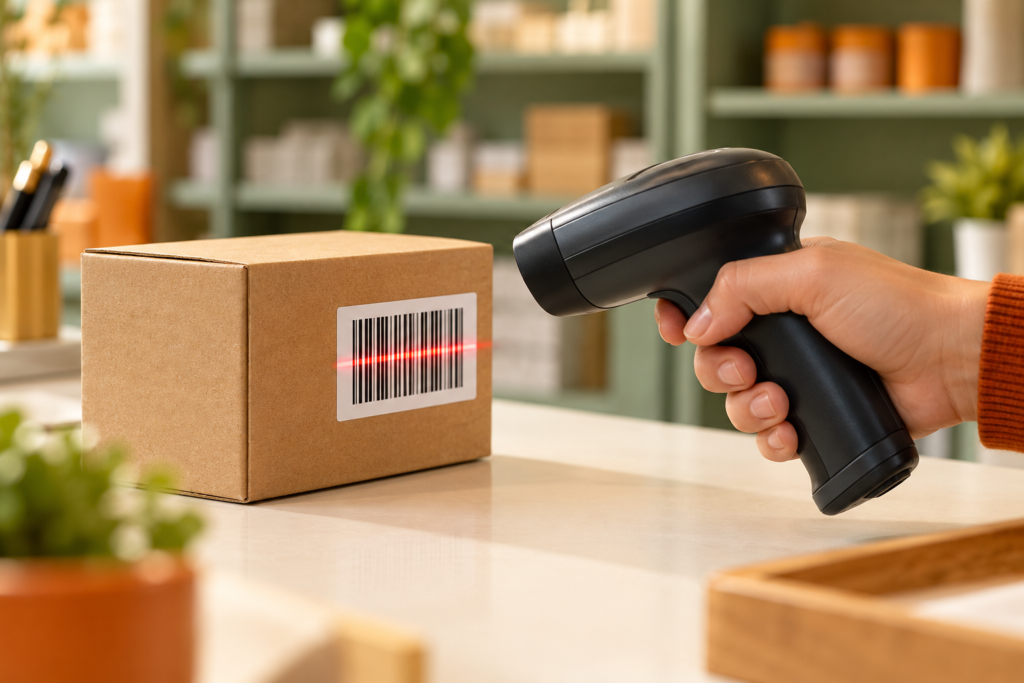
A cashier passes a package across a scanner, a beep sounds, and the product appears on the screen. The printed pattern seems far too simple to explain everything the register suddenly knows.
The trick is that the scanner and the store’s software have different jobs. One recovers data from a symbol; the other connects that data with a record. Separating those jobs explains both the speed and the limitations of the process.
The symbol is a visual encoding of data
A barcode is not a miniature photograph of the product. It is a machine-readable arrangement whose features represent information under a defined set of rules.
For familiar linear barcodes, the widths and sequence of dark bars and light spaces matter. The white regions are part of the pattern, not merely unused paper between meaningful lines.
GS1’s definition of a barcode describes this representation and distinguishes one-dimensional symbols from two-dimensional formats.
A scanner needs to know how the symbol is structured. Random stripes may look barcode-like to a person without representing valid data in a supported format.
Dark and light regions return different amounts of light
In a traditional laser-based reader, a beam moves across the symbol. Light areas usually reflect more of the illumination back than dark bars do.
A light-sensitive detector converts the changing reflected light into an electrical signal. Its sequence contains information about the transitions and relative widths in the printed pattern.
DENSO WAVE’s technical explanation distinguishes scanning mechanisms, including laser and image-sensor approaches.
The reader is not feeling the ridges of the ink. It is measuring an optical signal, which is why contrast, surface reflections, and printing quality affect the result.
An imaging reader captures the symbol for software to analyze
Not every reader sweeps a laser across the label. An imaging scanner can capture an image and locate the barcode within it.
Decoding software then analyzes the pattern. This approach can support different symbol types, depending on the hardware and enabled decoders.
Zebra’s scanner documentation describes configurations that include cameras, two-dimensional imagers, and laser-based readers.
That variety explains why two devices may respond differently to the same label. The general goal is shared, but the optical capture method and supported formats can differ.
The decoder checks the pattern against the format
After capturing a signal or image, the system must identify the symbol’s structure and recover the encoded characters.
Barcode formats use defined patterns rather than one universal rule in which every thick bar is a one and every thin bar is a zero. The interpretation depends on the symbology.
Many familiar retail identifiers include a check digit that helps detect certain errors in the recovered number. Such a check does not prove that the physical item is genuine or that every database entry is correct.
It verifies a relationship within the data. Valid decoding and accurate product information are connected steps, not the same guarantee.
The identifier points to a record
A standard retail product barcode commonly encodes an identification number, such as a GTIN. The checkout software uses that number to locate information in its own system.
The name, current price, and other details can therefore change without printing a new ordinary barcode on every package.
GS1’s explanation of GTINs and barcodes describes the distinction between a product identity and its machine-readable symbol.
The same identifier can appear on many packages of the same product. It does not necessarily identify one individual physical bottle or box.
A readable symbol
The printed pattern carries the encoded identifier or other supported data.
A matching record
The system retrieves the information associated with that identifier.
The reader needs an undistorted pattern with clear boundaries
Smudges, creases, insufficient contrast, and badly distorted printing can interfere with the pattern the decoder expects.
Blank margins called quiet zones are also important. They help separate the symbol from nearby graphics. Crowding text or decoration into those areas can make reading harder.
GS1’s barcode-quality checklist includes quiet zones, contrast, positioning, and damage among the relevant factors.
A barcode can look acceptable at a glance while failing a machine’s requirements. Human recognition of “some stripes” is much less demanding than reliable recovery of an exact number.
Contrast has to work for the scanner’s illumination
Black bars on a white background provide strong contrast for common scanning systems. Other combinations can work, but a design that looks distinct to human eyes may not be equally distinct to the scanner.
GS1 US’s printing guidance warns against red bars with readers using red illumination.
Distance and glare matter too. Zebra’s scanning considerations explain how working range and direct reflections can affect image capture.
These are optical limitations, not evidence that the software has forgotten the product.
Frequently asked questions
Is the price always inside the barcode?
No. A common retail identifier is linked with a price in the store’s system. Some specialized barcode applications encode additional information.
Do only the black lines matter?
No. The spaces, widths, boundaries, and overall format all contribute to decoding.
Can every scanner read every barcode?
No. Support depends on the reader and the software or decoders it uses.