
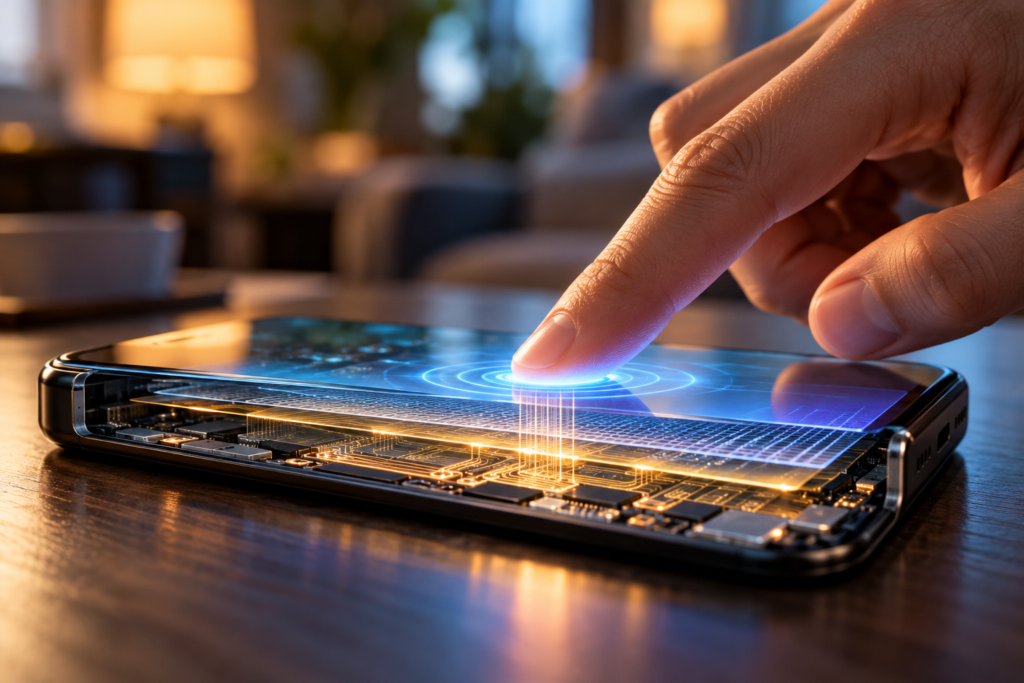
Tap a camera icon, and the camera opens. Slide a finger upward, and a page moves. Place two fingers on a photo and spread them apart, and the image grows.
These interactions feel direct, almost as though you are moving physical objects beneath the glass. In reality, the screen does not know what a photo, button, or message means.
Several layers of hardware and software work together to turn a physical interaction into an instruction. The process begins with a measurable electrical change and ends with an application deciding what to do.
The image and the touch detection have different jobs
We often call the entire front surface of a phone “the screen,” but displaying an image and detecting a finger are separate functions.
The display produces the interface you see. The touch-sensing system measures interactions at the surface. Manufacturers can integrate these functions closely, but the distinction remains useful: showing a button is not the same as knowing that someone touched it.
The display shows the interface
Text, photographs, icons, and animations tell you what is available and what is happening.
The sensor detects an interaction
Touch measurements help the phone determine where your fingers are and how they move.
A useful analogy is a printed map placed over a sensing surface. The map supplies meaning to a location, while the sensor supplies information about where you touched. Software connects the two.
Your finger changes an electrical measurement
Most current smartphones use a technology called projected capacitive touch sensing. It relies on capacitance, an electrical property associated with storing charge.
Electrodes beneath or within the screen assembly create a sensing pattern. When your finger approaches or touches the surface, it changes the electrical conditions around nearby electrodes.
Your body is conductive enough to influence these measurements. The phone does not need to identify your skin visually or detect your body temperature to recognize an ordinary touch. It detects a change in the sensor’s electrical behavior.
In mutual-capacitance sensing, the electronics measure coupling between electrode pairs. A finger changes that coupling. Self-capacitance sensing uses a different measurement arrangement. Touch systems can use different approaches or combine them.
How does the phone know where you touched?
A touchscreen uses a pattern of sensing electrodes rather than one giant sensor that only reports “something touched me.” Measurements across that pattern provide spatial information.
A dedicated touch controller examines the signals and estimates contact positions. Because a fingertip covers an area, the reported location is not necessarily the position of a single physical sensing intersection.
The output can include coordinates and information about multiple contacts. Details depend on the hardware and its interface with the operating system.
Think of placing a hand over several adjacent squares on graph paper. Knowing which area is affected gives you more information than a simple yes-or-no answer. The touchscreen does something electrically analogous, although its actual measurements and processing are more sophisticated.
The result is a stream of position information that software can track as your finger moves.
A location becomes useful when software gives it meaning
A touch near the bottom of the screen could mean “send message” in one application and “take photo” in another. The coordinates alone do not contain the command.
The operating system’s input handling delivers events to the relevant interface. Software then evaluates which interactive element should respond and whether the interaction qualifies for an action.
Consider a fictional music application. You touch its triangular play icon and lift your finger. The interface can recognize a tap within that control’s interactive region and request playback.
If the application changes its layout, the same physical location might correspond to a different control. Nothing about your finger changed. The software context did.
| Stage | Main job |
|---|---|
| Sensing | Measure electrical changes near the touch surface. |
| Touch controller | Estimate contact locations from those measurements. |
| Input handling | Deliver touch events to the relevant software. |
| Interface logic | Interpret the interaction and decide what action applies. |
| Response | Update the interface or perform the requested operation. |
How does it distinguish a tap from a swipe?
A gesture is more than a location. It is a sequence of events over time.
Android, for example, represents touch interactions using events that describe a contact beginning, moving, ending, or being canceled. Gesture-handling software can examine those events rather than treating every measurement as an independent button press.
A brief contact with little movement may qualify as a tap. A contact that travels across the surface may become a drag or scroll. A contact maintained for a suitable interval may qualify as a long press.
These interpretations depend on the interface and its rules. An application may support a gesture in one area and ignore it elsewhere.
Small movements do not always count as swipes
People rarely hold a finger perfectly still. If every tiny change triggered scrolling, tapping would be frustrating.
Android addresses this with a movement threshold called touch slop. It allows a touch to wander a small distance before being interpreted as a movement-based gesture. Timing, distance, and sometimes velocity help software distinguish intentions without requiring perfect precision.
Two fingers create another pattern to interpret
Multi-touch systems can track more than one contact at a time. Software needs to distinguish those contacts so it can follow each finger as positions change.
For a familiar pinch-to-zoom gesture, a recognizer can track the changing distance between two fingers. Moving them apart can request a larger scale, while bringing them together can request a smaller one.
The photograph is not physically stretching underneath your fingers. The application changes how large it draws the image. Touch positions provide input for that transformation.
Gesture support is also a software choice. The same two-finger movement may zoom a photograph, adjust a map, perform another action, or do nothing, depending on the application and context.
Why can gloves, water, and screen protectors interfere?
Capacitive sensing depends on detecting a useful electrical change through the materials above the electrodes. Objects between your finger and the sensing system can affect that interaction.
- Ordinary gloves can weaken the touch signal. Their material and thickness can reduce the interaction between your finger and the sensor. Some gloves or device modes are designed to support touchscreen use.
- Water can change the measurements. Droplets and moisture can affect capacitance and complicate the distinction between an intended touch and interference. Water-rejection capabilities vary by device.
- A screen protector can affect sensitivity. Its material, thickness, fit, and installation can matter. A compatible, correctly fitted protector should not be assumed to behave like every other protector.
- Not every pointed object works. A plastic pen tip does not necessarily create the electrical interaction expected from a finger. Compatible styluses are designed for particular sensing technologies.
Manufacturers commonly recommend checking for moisture, dirt, and interfering accessories when touch becomes unreliable. Follow the instructions for your particular model rather than assuming that every touchscreen has the same capabilities.
Water resistance is a different feature
A phone’s ability to resist water entering its enclosure does not automatically guarantee accurate touchscreen operation while wet. Preventing liquid damage and interpreting electrical touch signals are different engineering problems.
Frequently asked questions
Does a touchscreen detect the heat of my finger?
Ordinary capacitive smartphone touch detection relies on electrical changes, not body heat. Other types of sensors exist, but temperature is not the basic mechanism described here.
Does the screen recognize my fingerprint every time I tap?
No. Ordinary touch detection and fingerprint recognition are different functions. Detecting where a finger touches does not require capturing its fingerprint pattern.
Why does a touch sometimes register without an immediate response?
Detection and completion of an action are separate stages. Software still has to process the interaction, and the requested operation may involve loading content or waiting for another task. A delayed response does not by itself identify which stage was slow.
Can every touchscreen detect several fingers at once?
No. Multi-touch capability depends on the sensing hardware, controller, and software support. It is common on modern smartphones, but it is not a property of every touch-sensitive device.
Does pressing harder make a normal tap more accurate?
Not reliably. An ordinary capacitive interface is designed to detect a suitable touch, not reward increasing force. If touches are being missed, check the device’s troubleshooting guidance instead of pressing harder.